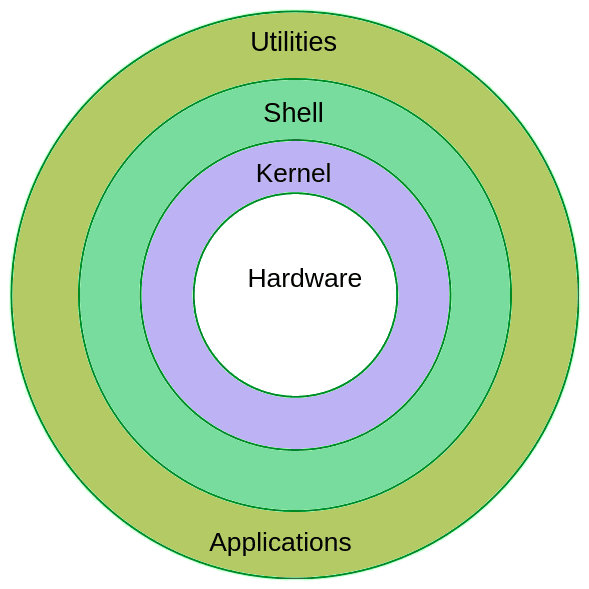
What is Linux?
Linux is a free and open-source operating system that was first created by Linus Torvalds in 1991. It is based on the Unix operating system and is widely used in servers, desktops, and mobile devices. Linux is known for its stability, security, and flexibility. It can be customized to suit the needs of individual users and can run on a wide range of hardware, from small embedded devices to supercomputers. Linux is also used as the foundation for many other operating systems, including Android, Chrome OS, and many distributions of Linux, such as Ubuntu, Debian, Fedora, and CentOS.
Why Linux ?
Cost: Linux is free and open-source software, which means that you can download and use it without paying any licensing fees.
Stability: Linux is known for its stability and reliability. It is less likely to crash or experience performance issues compared to other operating systems.
Security: Linux is inherently more secure than other operating systems due to its design and open-source nature.
Flexibility: Linux is highly customizable and can be tailored to meet the specific needs of individual users or organizations.
Community support: Linux has a large and active community of developers and users who provide support and guidance
Performance: Linux is known for its fast performance and low system requirements.
Open-source: Linux is open-source software, which means that its source code is freely available for anyone to view, modify, and distribute.
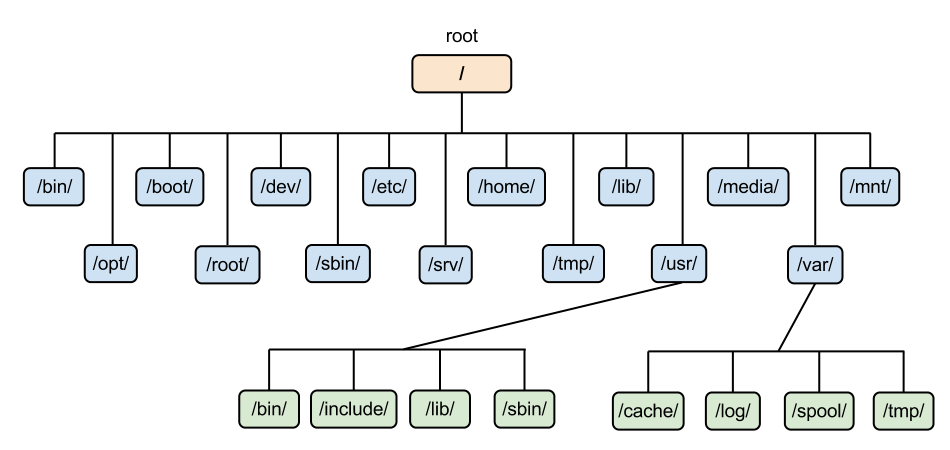
File system hierarchy
/ - This is a top-level directory
/root - It is the home directory for the root user
/home - It is the home directory for other users
/boot - It contains bootable files for Linux
/etc - It contains all configuration files
/usr - by default software is installed in this directory
/bin - It contains commands used by all users
/sbin - It contains commands used by the only root user (root)
Linux basic Commands
cat (create & append file)
touch (create the blank file)
nano (create & edit file)
vi/vim (create & edit file)
ls (list)
ls -a (list all files including hidden)
ls -la (list all files with permissions)
cd (change directory)
pwd (print working directory)
mkdir (create a directory)
cp (copy)
mv (move)
mv (rename)
rm (remove the file)
rm -rf(remove directory & recursive)
head (see top 10 lines)
tail (see last 10 lines)
sort (display in Alphabetic/Numeric order)
/tar (to pack)
wget (to download)
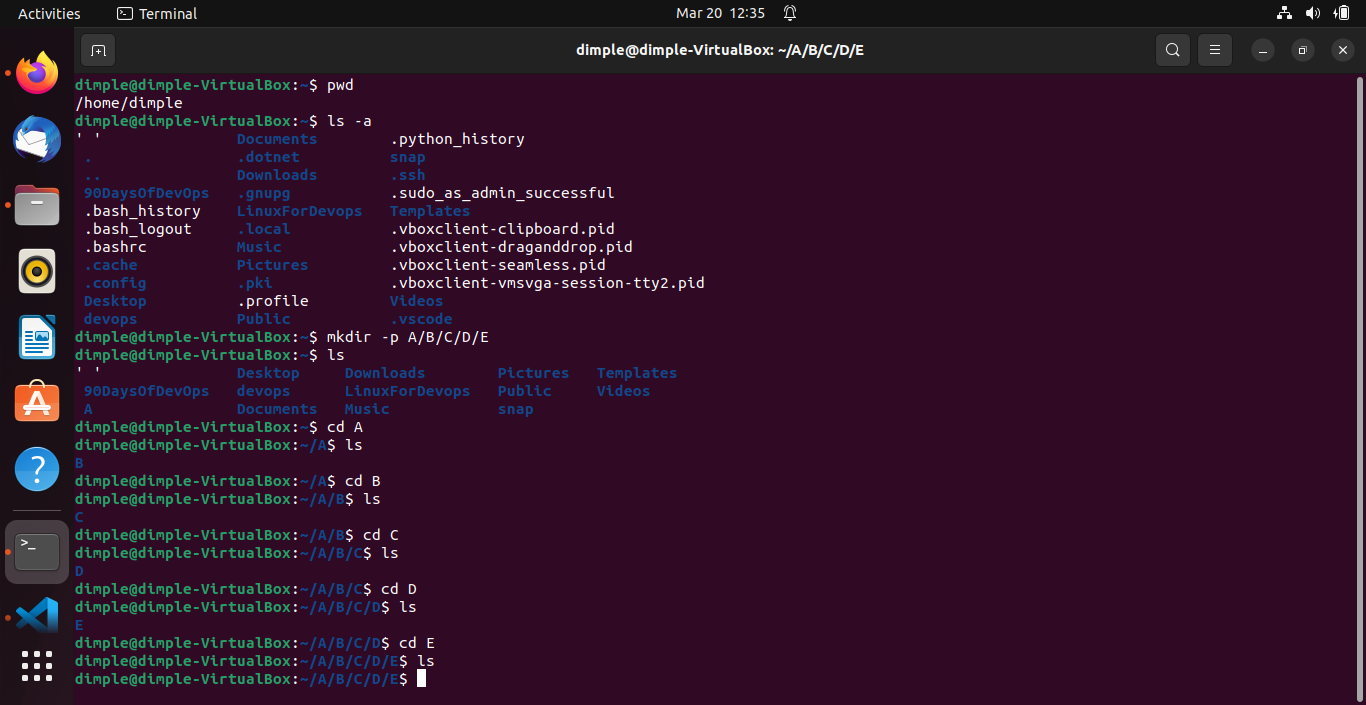
Task: What is the linux command to
1. Check your present working directory.
$pwd
2. List all the files or directories including hidden files.
$la -a
3. Create a nested directory A/B/C/D/E
$ mkdir -p A/B/C/D/E