Day 7 Task: Understanding package manager and systemctl
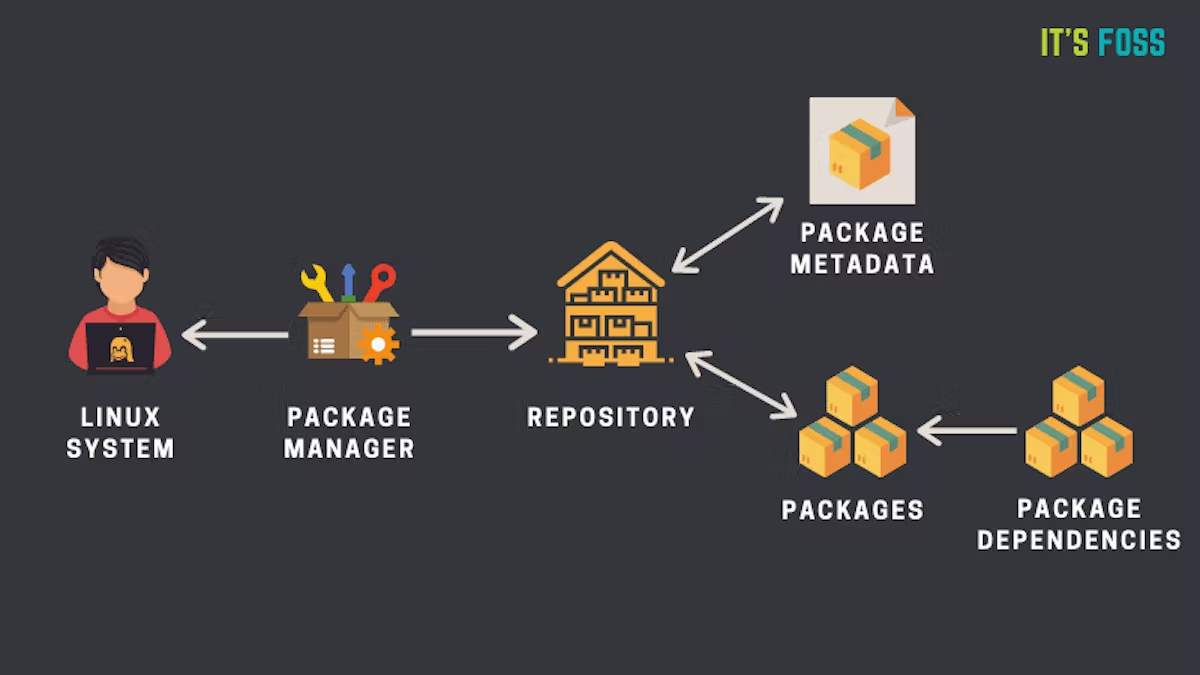
What is a package manager in Linux?
In simpler words, a package manager is a tool that allows users to install, remove, upgrade, configure and manage software packages on an operating system. The package manager can be a graphical application like a software center or a command line tool like apt-get or pacman.
What is a package?
A package is usually referred to an application but it could be a GUI application, command line tool or a software library (required by other software programs). A package is essentially an archive file containing the binary executable, configuration file and sometimes information about the dependencies.
Different kinds of package managers
Package Managers differ based on packaging system but same packaging system may have more than one package manager.
For example, RPM has Yum and DNF package managers. For DEB, you have apt-get, aptitude command line based package managers.
You have to install docker and jenkins in your system from your terminal using package managers.
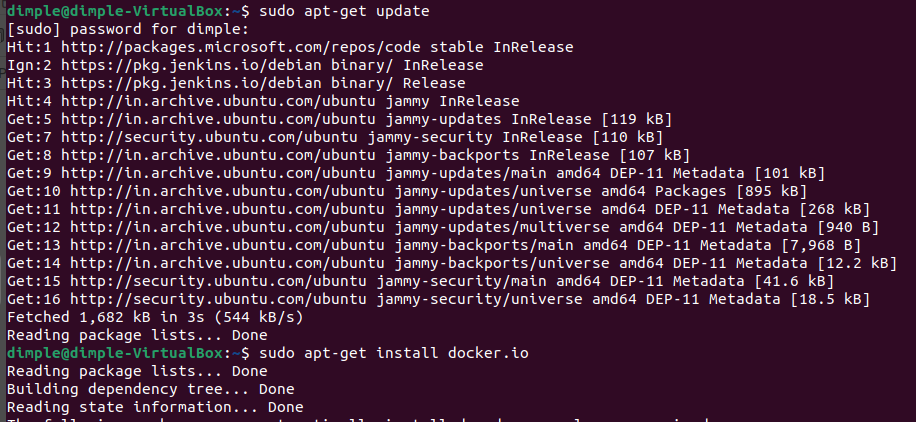
- Steps to install Docker using package managers on Ubuntu.
Update the package index:
sudo apt-get update
Install Docker:
sudo apt-get install docker.io
Start and enable Docker Services:
sudo systemctl start docker
sudo systemctl enable docker

Steps to install Jenkins using package managers on Ubuntu.
Since Jenkins is written in Java, the first step is to install Java.
Update the package:
sudo apt updateInstall Jenkins:
sudo apt install jenkinsStart the Jenkins daemon:
sudo systemctl start jenkinsTo enable the Jenkins daemon to start on boot:
sudo systemctl enable jenkins
What is systemctl and systemd.
systemctl is a command-line utility used to manage the systemd system and service manager, which is responsible for controlling the startup and management of all processes and services on the system. With systemctl, you can start, stop, restart, enable, and disable services on your Linux machine.
Some examples of using systemctl include:
Start a service:
sudo systemctl start service-nameStop a service:
sudo systemctl stop service-name
systemd is the system and service manager that provides a centralized and consistent way of managing all processes and services on a Linux system. It replaces the traditional SysV init system and provides many features such as parallel startup of services, on-demand service activation, and dependency-based service management.
systemctl vs service.
systemctl is a command-line utility used to manage the systemd system and service manager on Linux systems. With systemctl, you can start, stop, restart, enable, disable, and check the status of system services.
service is a command-line utility used to manage system services on Linux systems. It is commonly used in older versions of Linux that use the SysV init system, which has been largely replaced by systemd.
With service, you can start, stop, restart, and check the status of system services. Some common service commands include:
sudo service service-name start: Start a service.sudo service service-name stop: Stop a service.
Thank you for reading this Article.


